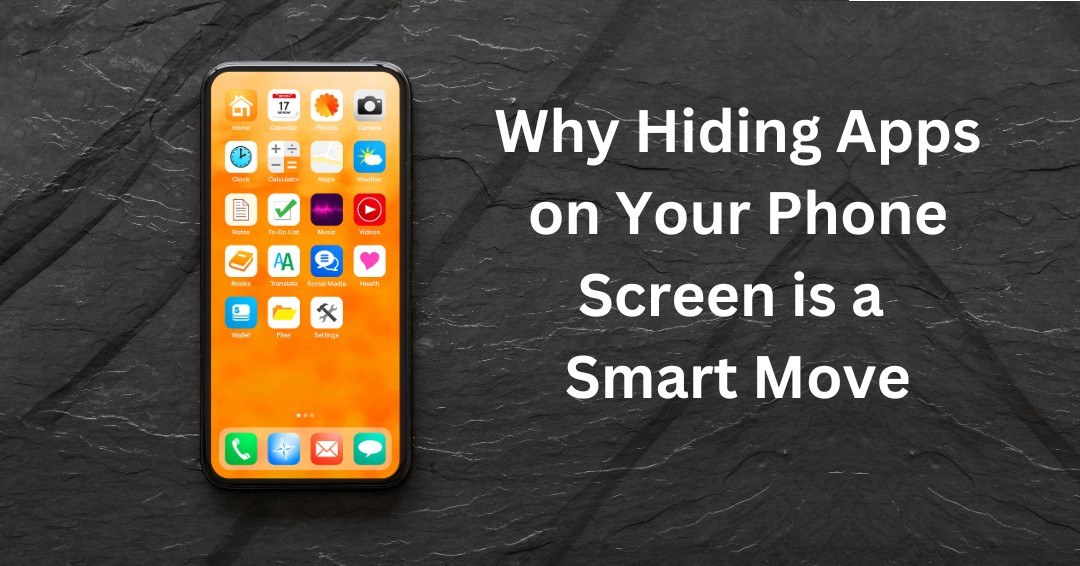


In our digital-driven world, smartphones store vast amounts of personal and sensitive data. From banking credentials to private conversations, your device likely holds information you’d prefer to keep private. One easy way to boost your device’s security is by hiding apps from your home screen.
Does this sound excessive? Actually, this simple step offers multiple cybersecurity and physical security benefits.
Cybersecurity Benefits of Hiding Apps
Hiding apps can greatly enhance your online privacy. For apps containing sensitive data—like banking, health, or private messaging apps—keeping them out of view can help protect this information from prying eyes. This is especially useful if you occasionally hand your phone to others but don’t want them to access personal content.
Hiding apps also comes in handy when using your phone in public. When you’re on a bus or in a crowded area, the last thing you need is a stranger glancing over and spotting your financial or medical app icons.
By concealing these apps, you add an extra layer of security, making it harder for anyone to access them without permission. This added protection can be crucial if your phone is lost or stolen. While you work on remotely wiping the device, hidden apps make it more challenging for thieves to find banking or email accounts.
Physical Security Benefits of Hidden Apps
Do you share your phone with family members or friends? Hiding apps can prevent them from accidentally accessing sensitive information. Even if you trust your mom not to snoop through your financials, hiding apps like photo galleries or dating profiles can help avoid awkward situations and preserve your privacy.
For parents, hiding apps is a smart way to manage what children can access. By keeping certain apps out of sight, you ensure that kids won’t stumble upon inappropriate content or make unauthorized purchases.
How to Hide Apps
On iPhone:
-
- Locking an App: Long-press the app icon, select “Require Face ID” (or Touch ID/Passcode), and authenticate.
- Hiding an App: Long-press the app icon, choose “Hide and Require Face ID” (or Touch ID/Passcode), and authenticate. The app will move to a Hidden folder in the App Library.
On Android:
-
- Using Built-in Features: Open your home screen settings, find the “Hide apps” option, select the apps to conceal, and confirm.
- Third-Party Launchers: Some launchers, like Nova Launcher, let you hide apps directly within the home screen settings.
Remember to review the apps you’ve hidden now and then to confirm they’re still necessary to keep concealed. This habit can help you keep your phone secure, organized, and free up some storage space.
Small Security Habits Can Make a Big Difference
Protecting sensitive information doesn’t always require complex technology. Sometimes the most effective security improvements come from simple habits that make valuable information less visible and more difficult for unauthorized individuals to access.
Hiding apps, using strong authentication, enabling biometric security features, keeping devices updated, and reviewing privacy settings are all practical steps that can help reduce risk. While no single safeguard can eliminate every threat, combining multiple security measures creates stronger protection for both personal and business information.
As smartphones continue to play a larger role in how we work, communicate, and access company resources, mobile security becomes an increasingly important part of overall cybersecurity. Taking proactive steps today can help prevent unnecessary risks tomorrow.
Are Mobile Devices Creating Hidden Security Risks?
Many businesses focus on securing networks and computers while overlooking the smartphones used to access company email, files, and applications every day. If you’re unsure whether your organization has the right mobile security practices, schedule a free consultation with ITNS Consulting. We’ll help you identify potential risks and develop practical strategies for protecting business information across all devices.
Do Your Technology Policies Address Mobile Device Security?
Smartphones and tablets can improve productivity, but they also introduce risks that must be managed properly. Download our IT Policy Review Checklist to evaluate your organization’s policies, identify potential gaps, and ensure employees have clear guidance for protecting business information on mobile devices.
📝 IT Policy Review Checklist — Free Download
Ensure Your Policies Are Current, Aligned, and Fully Implemented
This checklist provides a clear framework for reviewing your IT policies, verifying their accuracy and real-world relevance, and ensuring proper coverage across security, data, operations, and vendor management.
It also helps define ownership, track evidence and audit readiness, establish a consistent review schedule, and complete a final readiness check.
Perfect for:
✔️ Small business owners and leadership teams without formal IT policies
✔️ Organizations preparing for audits, cyber insurance renewals, or client due diligence
✔️ Companies with outdated policies that may no longer reflect actual operations
✔️ Compliance, risk, operations, or IT leaders responsible for policy oversight
✔️ Businesses that need clearer policy ownership, review schedules, and supporting evidence.