

When Cybercrime Hits Close to Home
As a small business owner, your smartphone, computer, and even your smart devices are more than just tools they’re the backbone of your operations. From managing customer relationships to processing payments and tracking inventory, your digital infrastructure is essential. But what happens when cybercriminals infiltrate your systems and botnets take over?
This isn’t just a tech problem, it’s a business survival issue. Cybercriminals are increasingly targeting small businesses, not because they’re high-profile, but because they’re often under-protected. Once inside, attackers can hijack your devices and quietly recruit them into a botnet a network of compromised devices used for malicious purposes.
Understanding how botnets work, how to spot them, and how to protect your business is critical. Let’s break it down.
What Are Botnets and Why Should Small Businesses Care?
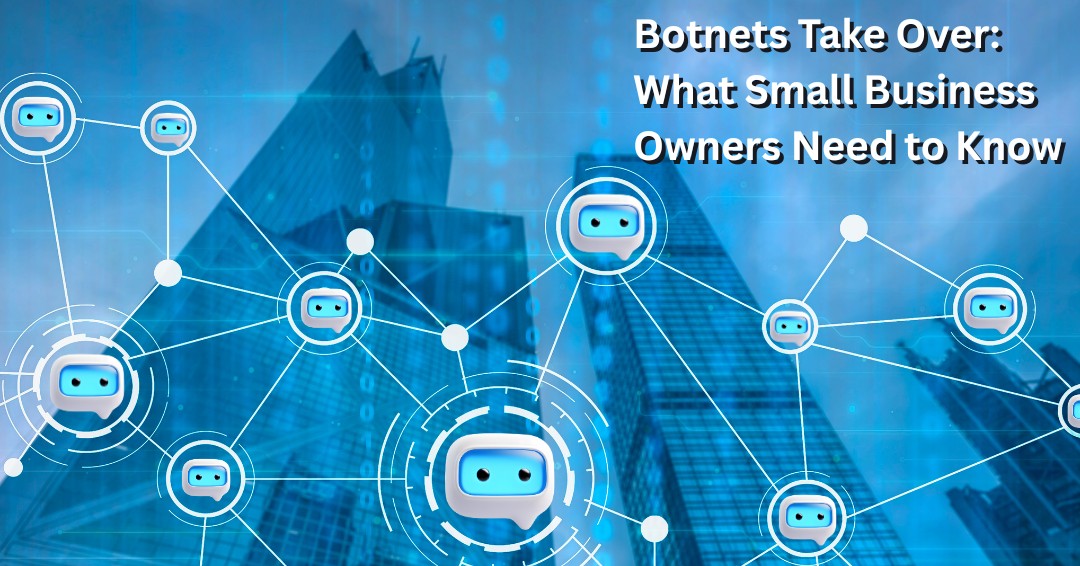
A botnet is a network of devices infected with malware and controlled remotely by cybercriminals. These devices: phones, laptops, servers, even smart TVs, are turned into “bots” or “zombies” that follow the hacker’s commands without the owner’s knowledge.
For small businesses, this can be devastating. Imagine your business email account suddenly starts sending spam to your customers, or your website crashes because your own devices are unknowingly participating in a Distributed Denial of Service (DDoS) attack. Worse yet, your systems could be mining cryptocurrency for someone else, draining your resources and spiking your electricity bill.
Real-World Example: The Coffee Shop Conundrum
Consider a local coffee shop that uses a smart POS system, Wi-Fi-enabled security cameras, and a few tablets for customer orders. One day, the owner notices the system is sluggish, the cameras are glitchy, and customers complain about slow Wi-Fi. Later, she discovers her devices were part of a botnet used to launch a DDoS attack on a major retailer.
Not only did this compromise her business operations, but it also damaged customer trust. She had no idea her devices were being used in a cyberattack.
How Botnets Take Over Your Devices
Cybercriminals typically gain access through:
- Phishing emails that trick users into clicking malicious links.
- Malware downloads disguised as legitimate software.
- Weak passwords or default credentials on devices.
- Unpatched software vulnerabilities that haven’t been updated.
Once inside, they install malware that connects your device to a command-and-control server. From there, your device becomes part of a botnet army.
What Can Botnets Do to Your Business?
- Launch DDoS attacks using your devices, which can crash websites and servers.
- Send spam emails from your business accounts, damaging your reputation.
- Steal sensitive data, including customer information and financial records.
- Mine cryptocurrency, which slows down your systems and increases costs.
- Spread malware to your customers or partners through compromised communications.
Signs Your Devices May Be Infected
Botnets are stealthy, but they leave clues. As a small business owner, you should watch for:
- Sluggish performance on phones, computers, or POS systems.
- Unusual data usage or internet activity.
- Overheating devices or fans running constantly.
- Random system crashes or reboots.
- Customer complaints about spam emails or strange social media posts from your business.
If you notice any of these signs, it’s time to investigate. The longer a botnet operates undetected, the more damage it can do.
Cyber Hygiene: Your First Line of Defense
Cyber hygiene refers to the routine practices that keep your digital systems clean and secure. For small businesses, this is especially important because you may not have a dedicated IT team.
Essential Cyber Hygiene Tips for Small Businesses
- Keep Software Updated
- Regularly update your operating systems, apps, and firmware.
- Enable automatic updates where possible.
- Use Strong, Unique Passwords
- Don’t use the same password across multiple accounts.
- Consider using a password manager to keep track.
- Enable Multi-Factor Authentication (MFA)
- Add an extra layer of security to your logins.
- MFA can prevent unauthorized access even if passwords are compromised.
- Change Default Credentials
- Many devices come with default usernames and passwords. Change them immediately.
- Install Trusted Antivirus Software
- Use reputable security software and keep it updated.
- Run regular scans to detect threats early.
- Educate Your Team
- Train employees to recognize phishing attempts and suspicious activity.
- Create a culture of cybersecurity awareness.
- Limit Device Access
- Only allow trusted devices to connect to your network.
- Segment your network to isolate sensitive systems.
The Bigger Picture: Botnets and Geopolitical Threats
In May 2025, the U.S. Department of Justice charged 16 individuals linked to a Russia-affiliated botnet group known as DanaBot. This group allegedly compromised over 300,000 devices globally, including many in the U.S.
For small business owners, this case is a wake-up call. It shows that botnets aren’t just the work of lone hackers. They can be part of state-sponsored cyber warfare. These attacks can disrupt supply chains, steal intellectual property, and destabilize entire industries.
Why This Matters to You
Even if your business isn’t a direct target, your devices can be collateral damage. Being part of a botnet even unknowingly can expose you to legal risks, reputational harm, and financial loss.
What to Do If You Suspect a Botnet Infection
If you think your devices have been compromised:
- Disconnect from the Internet
- Isolate the affected devices to prevent further damage.
- Run a Full Antivirus Scan
- Use your security software to detect and remove malware.
- Change All Passwords
- Update credentials for all accounts, especially those related to business operations.
- Notify Affected Parties
- Inform customers or partners if their data may have been exposed.
- Consult a Cybersecurity Professional
- If the infection is severe, get expert help to clean your systems and strengthen defenses.
Building a Resilient Cybersecurity Strategy
Small businesses often operate with limited resources, but cybersecurity doesn’t have to be expensive. Here’s how to build a strong defense without breaking the bank:
- Invest in basic security tools like antivirus software and firewalls.
- Use cloud services with built-in security features.
- Back up your data regularly to prevent loss from ransomware or system failures.
- Create an incident response plan so you know what to do if an attack occurs.
- Stay informed about emerging threats and best practices.
Stay Vigilant, Stay Secure
Botnets are a reminder that cyber threats are not always visible. In many cases, compromised devices continue operating normally while quietly participating in malicious activities behind the scenes. For small businesses, this can lead to operational disruptions, security incidents, reputational damage, and unnecessary risk.
The good news is that most botnet infections exploit weaknesses that can be addressed through proactive cybersecurity practices. Keeping systems updated, strengthening authentication, monitoring network activity, training employees, and regularly evaluating security controls can significantly reduce the likelihood of compromise.
Cybersecurity is no longer something businesses can afford to address only after a problem occurs. Organizations that take a proactive approach are far better positioned to prevent attacks, respond quickly to emerging threats, and maintain the trust of their customers.
In today’s connected world, vigilance, preparation, and continuous improvement remain some of the strongest defenses against evolving cyber threats.
Could Hidden Vulnerabilities Be Putting Your Business at Risk?
Many businesses are unaware of security weaknesses until an incident occurs. If you’re unsure whether your systems, devices, and network are adequately protected, schedule a free consultation with ITNS Consulting. We’ll help you identify potential vulnerabilities and develop practical strategies to strengthen your cybersecurity posture before attackers have the opportunity to exploit them.
Identify Security Weaknesses Before Attackers Do
Many cyber threats succeed because vulnerabilities go unnoticed. Download our Risk & Vulnerability Assessment Checklist to evaluate your organization’s security posture, identify potential weaknesses, and take proactive steps to reduce risk before an incident occurs.
🔍 Risk & Vulnerability Assessment Checklist — Free Download
Identify Hidden Threats. Prioritize Fixes. Strengthen Your Security Posture.
This checklist helps you uncover the critical risks hiding across your environment, including high-impact vulnerabilities, misconfigured security tools, identity and access gaps, missing updates, and overprivileged accounts.
It also identifies vendor access concerns and weaknesses in backup, recovery, and evidence practices so you can prioritize improvements before they become costly problems.
Perfect for:
✔️ Organizations preparing for audits or cyber‑insurance renewal
✔️ Companies with legacy systems or unclear configurations
✔️ Leaders evaluating internal or outsourced IT
✔️ Teams wanting visibility into their real security posture