Humans generate 2.5 quintillion bytes of data every day. That is a substantial amount of information. However, failing to keep up with the ever-changing threat landscape might wipe your share of this data in the blink of an eye. In fact, ransomware has more than doubled in frequency since last year, accounting for 10% of verified breaches. Does your data have a reliable backup or have you surrendered to luck because of data backup myths?
While there is a lot of fear surrounding cybersecurity, you don’t need to panic. There are measures you can put in place to better protect your business. One of our best recommendations is to make data backups a component of your cybersecurity plan. Companies that don’t regularly back up valuable data leave themselves vulnerable to evolving cyber threats.
Data loss can occur due to multiple reasons that range from hard drive failures and ransomware attacks to natural disasters and human error. Whatever the reason may be, data backup can provide the relief you need by helping restore data on your devices should an incident occur.
When you decide to embark on your data backup journey to protect your organization and create business continuity, there are several myths you’ll come across. Here are four of the most common data backup myths:
Data Backup Myths Debunked
Myth #1: Data Backup Is Too Expensive
Data loss can have a cascading effect, resulting in downtime, productivity loss, revenue disruptions, regulatory fines, and reputational damage. The total cost of these setbacks is typically higher than the cost of a backup solution.
Myth #2: Having One Copy of Your Data Backed Up Is All You Need
The 3-2-1 strategy is a data backup best practice that involves having at least three copies of your data, two on-site but on different mediums/devices, and one off-site.
- Three copies of data: Having at least two additional copies of your data, in addition to your original data, is ideal.
- Two different mediums: Keep two copies of your data on different types of storage medium such as internal hard drives and removable storage like an external hard drive or a USB drive.
- One off-site copy: Keep one copy of your data off-site. This helps safeguard against worst-case scenarios.
Myth #3: Multiple Copies Guarantee Successful Backups
Having additional copies of your data by following the 3-2-1 strategy is a smart practice, but this doesn’t guarantee backups will operate as expected.
Organizations following the 3-2-1 strategy generally keep the original data and one of its copies on-site while another copy is transmitted to a safe, off-site destination, typically the cloud.
Beyond creating additional backup copies, regularly check to verify whether your backups are working properly since they may still be vulnerable to user error or data corruption. Routinely test backups or outsource the task to a managed service provider (MSP).
Myth #4: Data Backup and Disaster Recovery Are the Same
This misunderstanding stems from the fact that many people do not understand the difference between data backup and disaster recovery. Even though they are both vital components of business continuity, they are not the same.
While data backup is the act of backing up critical data, disaster recovery is the act of recovering those backups. Another distinction is that while data backup is defined by the recovery point objective (RPO), which is the amount of data that must be restored to keep operations running, disaster recovery is defined by the recovery time objective (RTO), which considers the time it takes to recover.
Don’t Let Backup Myths Create Recovery Risks
Many organizations assume their data is protected simply because backups exist. Unfortunately, some of the most costly data loss incidents occur when businesses discover that backups were incomplete, inaccessible, untested, or unable to support a timely recovery.
Effective data protection requires more than storing copies of information. It requires a strategy that includes reliable backups, secure storage, recovery testing, documented procedures, and a clear understanding of how critical systems and data will be restored when needed.
Organizations that regularly validate their backup and recovery processes are often better positioned to reduce downtime, recover from cyber incidents, and maintain business continuity when unexpected disruptions occur.
The true measure of a backup strategy is not whether backups exist. It is whether your business can recover successfully when it matters most.
Could Your Organization Recover from a Data Loss Event?
Many businesses believe their backup strategy is sufficient until a ransomware attack, hardware failure, accidental deletion, or system outage puts it to the test. If you’re unsure whether your current backup and recovery processes will support a successful recovery, schedule a free consultation with ITNS Consulting.
We’ll help evaluate your backup environment, identify recovery gaps, review recovery procedures, and develop a practical strategy for improving business continuity and data resilience.
Is Your Backup Strategy Ready for a Real-World Recovery?
Backups are only valuable if they can be restored quickly and reliably when your business depends on them.
Download our Backup & Disaster Recovery Preparedness Checklist to evaluate your backup strategy, identify recovery gaps, and strengthen your organization’s ability to recover from ransomware, data loss, hardware failures, and other unexpected disruptions.
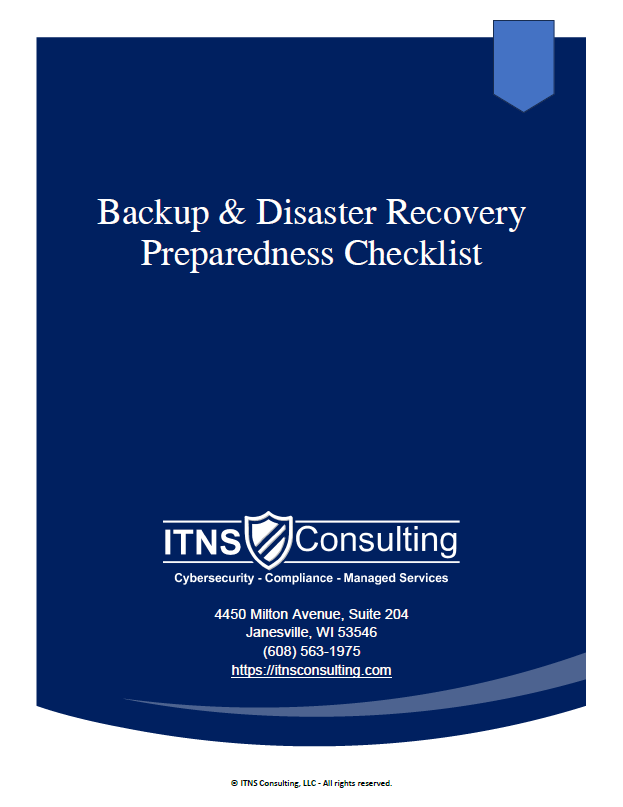
💾 Backup & Disaster Recovery Preparedness Checklist — Free Download
Be Ready for the Inevitable: Outages, Mistakes, Cyberattacks & Hardware Failures
This checklist helps leaders verify the reliability of their backup & recovery posture by highlighting the items that matter most: integrity, separation, testing, documentation, and clear expectations.
Perfect for:
✔️ Small and midsize businesses
✔️ Organizations preparing for cyber‑insurance renewal
✔️ Teams evaluating current IT providers
✔️ Companies with compliance or uptime requirements
✔️ Businesses that cannot afford downtime or data loss