As a small business owner, you rely on cloud data every day—
whether it’s saving customer records, sharing files with your team, or backing up important documents. The cloud makes your business more agile and efficient, but it also opens the door to new cybersecurity risks.
While cloud platforms offer convenience, collaboration, and disaster recovery, they’re not immune to cyber threats. If your cloud data isn’t properly secured, it could be exposed to hackers, data breaches, or even accidental loss.
🎯 Why Hackers Target Cloud Data
Even though major cloud providers invest heavily in security, cybercriminals are always looking for weak spots. Here are a few common vulnerabilities small businesses often overlook:
- Weak or reused passwords: These are easy targets for phishing scams or brute-force attacks.
- Data breaches: Even trusted platforms can be compromised, putting your stored data at risk.
- Misconfigurations or user errors: A simple mistake—like connecting an insecure app—can give hackers access to your files.
📊 Did you know?
80% of companies experienced at least one cloud security incident in the past year. That includes businesses of all sizes—not just the big players.
🔐 Simple Ransomware Prevention Tips for Cloud Security
You don’t need a full IT department to protect your cloud data. Here are practical, easy-to-implement steps any small business can take:
✅ Use Strong Passwords + Multi-Factor Authentication (MFA)
Avoid using the same password across platforms. Use a password manager to create strong, unique passwords, and enable MFA for an extra layer of protection—like a one-time code or fingerprint scan.
✅ Know What Your Cloud Provider Covers
Some providers handle encryption and backups, while others leave that to you. Understand your provider’s responsibilities so you know what you need to secure on your end.
✅ Limit Third-Party App Access
Only connect apps and services you trust. A poorly secured integration can become a backdoor for hackers to access your data.
✅ Review Your Security Settings Regularly
Audit your cloud accounts often. Remove inactive users, update permissions, and take advantage of new security features your provider offers.
🧩 Real-World Example
Imagine you run a small design agency. You store client files in the cloud for easy access. One day, an employee clicks a phishing link and unknowingly gives away their login credentials. Suddenly, your entire cloud account is compromised.
That’s not just a tech issue—it’s a trust issue. With stronger passwords, MFA, and better access controls, that breach could have been prevented.
🚀 Cloud Security Requires More Than Trust
Cloud platforms have transformed how small businesses store data, collaborate, and operate. They offer flexibility, scalability, and accessibility that would have been difficult to achieve only a few years ago. However, moving data to the cloud does not eliminate the need for security. It simply changes how that security is managed.
The most secure organizations understand that protecting cloud data requires a combination of strong authentication, access controls, employee awareness, data protection policies, and ongoing oversight. While cloud providers deliver powerful security capabilities, businesses still play a critical role in protecting their information.
The good news is that many cloud security risks can be significantly reduced through proactive planning, regular reviews, and a commitment to cybersecurity best practices. By taking ownership of your cloud security responsibilities, you can confidently take advantage of the benefits the cloud provides while reducing unnecessary risk.
Cloud technology can be one of your greatest business assets. The key is making sure it is configured, managed, and protected appropriately.
Is Your Cloud Environment as Secure as You Think?
Many businesses assume their cloud data is fully protected simply because it resides with a cloud provider. In reality, security responsibilities are shared, and misconfigurations, weak access controls, and poor user practices can still create significant risk. If you’re unsure whether your cloud environment is properly secured, schedule a free consultation with ITNS Consulting. We’ll help you identify potential gaps and develop practical strategies to better protect your business data.
Are You Getting the Most Out of Microsoft 365?
Many organizations use only a fraction of the security, productivity, and data protection features already included in their Microsoft 365 subscription.
Download our Microsoft 365 Optimization Checklist to evaluate your current environment, identify opportunities for improvement, and ensure you’re using Microsoft 365 to help protect your business data and support secure operations.
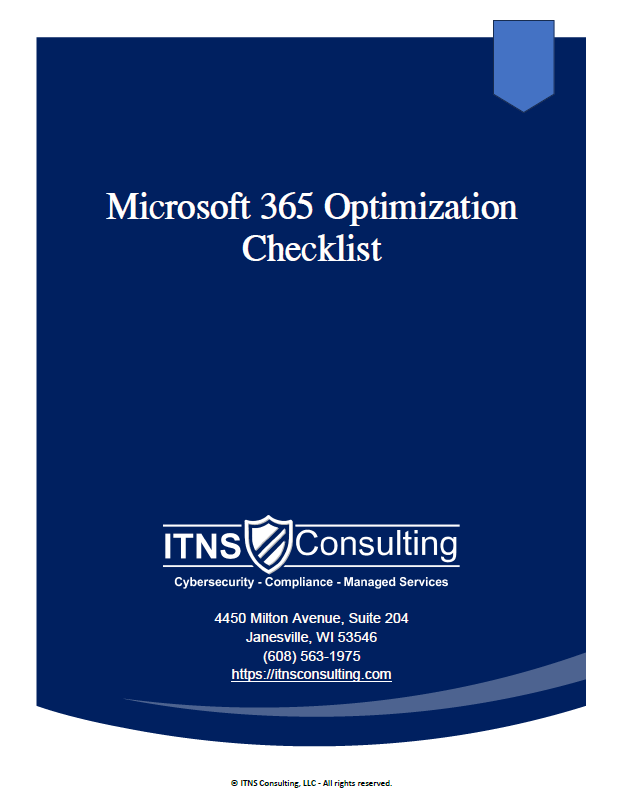
💼 Microsoft 365 Optimization Checklist — Free Download
Get More Value, Security, and Productivity Out of Microsoft 365
This checklist breaks Microsoft 365 into easy-to-follow categories that help you strengthen security with built-in safeguards, clean up access and permissions, and standardize collaboration.
It also improves data governance and documentation while ensuring your Microsoft 365 environment supports compliance and business continuity.
Perfect for:
✔️ Small business owners and managers
✔️ Teams evaluating current IT providers
✔️ Organizations migrating to Microsoft 365
✔️ Companies preparing for growth, audits, or cyber‑insurance renewal
✔️ Anyone wanting predictable, secure, well‑governed collaboration