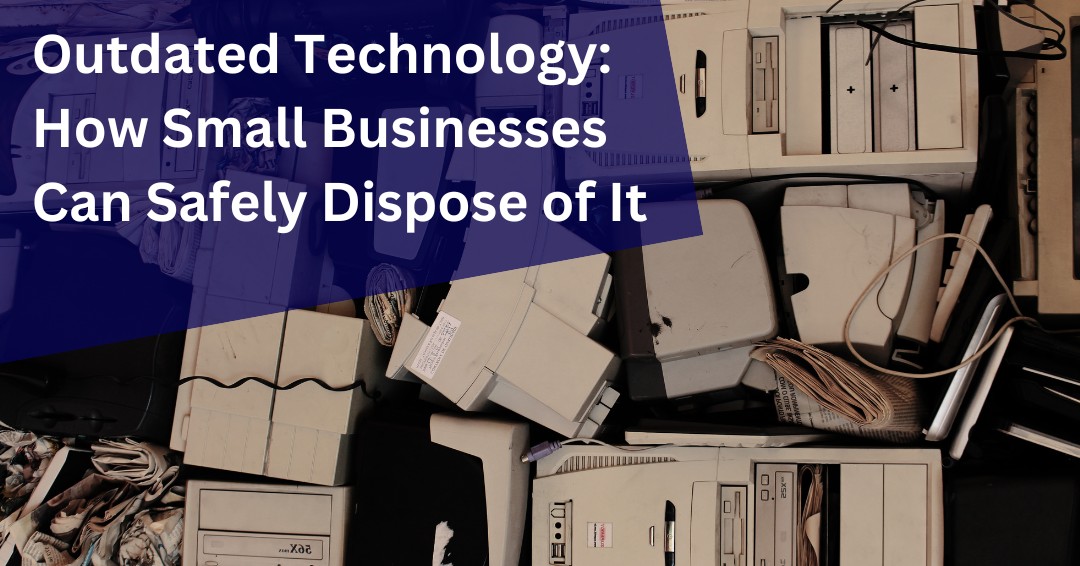


As a small business owner, staying competitive means upgrading your technology regularly. But what happens to your outdated technology when it’s no longer useful? Businesses replace their computers, phones, and routers every three to five years, meaning you’ll accumulate a significant amount of obsolete equipment over time. Without proper disposal methods, outdated technology can pose serious security risks, leaving sensitive business and customer data vulnerable to cybercriminals.
Simply deleting files or performing a factory reset isn’t enough—hackers can recover seemingly erased data with ease. To protect your business from data breaches and identity theft, understanding secure disposal practices is essential.
Why Proper Disposal of Outdated Technology Matters
Many small business owners unknowingly put their companies at risk by improperly disposing of outdated technology. Have you ever sold, donated, or discarded an old laptop or smartphone without considering data security? If so, your confidential business information might still be accessible to cybercriminals.
Cyber threats don’t just target large corporations—small businesses are often seen as easy prey due to limited security measures. Even after a device is discarded, outdated software and unpatched vulnerabilities can be exploited by hackers. Taking the right precautions before disposal ensures that your business data remains secure.
Steps to Securely Dispose of Outdated Technology
1. Back Up Important Business Data
Before getting rid of any device, ensure all essential files, customer records, and business documents are backed up. Use cloud storage, encrypted external hard drives, or secure business backup solutions to retain critical information.
2. Perform a Factory Reset (But Don’t Stop There)
A factory reset is a necessary first step, but it’s not foolproof. Some data may still be recoverable with advanced software. For highly sensitive information, additional steps are required.
3. Use Secure Data Wiping Software
To ensure no data remains on your outdated technology, use professional data erasure software that overwrites storage multiple times. Industry standards recommend at least 3-7 overwrites for maximum security.
4. Physically Destroy Storage Devices Inside Outdated Technology
For hard drives, solid-state drives (SSDs), and other storage components, the most foolproof disposal method is physical destruction. Options include:
-
- Drilling holes through the hard drive to render it unusable.
- Using an industrial shredder to destroy the device completely.
- Hiring a certified data destruction service, which provides proof of destruction for your records.
SSDs require specialized destruction since data can linger in flash memory. If unsure, consult an IT security professional for proper disposal methods.
5. Remove Batteries and Recycle Responsibly
Many outdated devices, such as laptops and smartphones, contain lithium-ion batteries that require special handling. Instead of throwing them in the trash, take them to an electronics retailer or a certified e-waste recycling center for safe disposal.
6. Reset and Wipe Other Smart Devices
Businesses often overlook smart devices like routers, printers, and office equipment, which may store login credentials and confidential business data. Before disposing of them:
-
- Wi-Fi Routers: Reset to factory settings and delete all stored configurations.
- Printers and Copiers: Some models retain copies of scanned documents—ensure this data is erased before disposal.
7. Choose a Certified E-Waste Recycling or Donation Program
If your outdated technology is still functional, consider donating it to a reputable organization—but only after securely wiping all data. For recycling, select certified e-waste centers with credentials such as:
-
- R2 (Responsible Recycling)
- e-Stewards Certification
These certifications ensure compliance with environmental and security standards for safe electronic disposal.
8. Consider Professional Data Destruction Services
If your business handles sensitive data—such as financial records, legal documents, or client information—using a professional data destruction service is recommended. These services guarantee that all data is permanently erased and often provide a certificate of destruction for compliance purposes.
9. Check for Residual Firmware or Software Data on Outdated Technology
Certain outdated devices, such as routers and networked equipment, may retain logs and firmware settings even after a factory reset. Ensure your device allows firmware resets or complete data overwrites to remove all business-related information.
Secure Disposal Is Part of a Strong Cybersecurity Strategy
Replacing outdated technology is a normal part of running a modern business, but disposing of old devices without proper safeguards can create unnecessary security and compliance risks. Hard drives, smartphones, tablets, servers, and other devices often contain far more sensitive information than many organizations realize.
The good news is that secure disposal does not have to be complicated. By implementing documented procedures, verifying data destruction, maintaining asset inventories, and training employees on proper disposal practices, businesses can significantly reduce the risk of sensitive information falling into the wrong hands.
Cybersecurity is not only about protecting active systems. It is also about managing technology responsibly throughout its entire lifecycle. The organizations that do this well reduce risk, support compliance efforts, and better protect customer and business information.
Before retiring your next device, make sure you’re not retiring your data protection responsibilities along with it.
Could Retired Devices Be Creating Hidden Risk?
Many organizations focus on securing active systems while overlooking the risks associated with outdated equipment and retired devices. If you’re unsure whether your technology disposal practices adequately protect sensitive business information, schedule a free consultation with ITNS Consulting. We’ll help you identify potential gaps and develop practical procedures for managing technology securely from deployment through disposal.
Do Your Technology Policies Cover Secure Device Disposal?
Data protection responsibilities do not end when a device reaches the end of its useful life. Clear policies help ensure that outdated equipment is retired securely and consistently.
Download our IT Policy Review Checklist to evaluate your organization’s policies, identify potential gaps, and ensure critical processes such as device disposal, data handling, and asset management are properly addressed.
📝 IT Policy Review Checklist — Free Download
Ensure Your Policies Are Current, Aligned, and Fully Implemented
This checklist provides a clear framework for reviewing your IT policies, verifying their accuracy and real-world relevance, and ensuring proper coverage across security, data, operations, and vendor management.
It also helps define ownership, track evidence and audit readiness, establish a consistent review schedule, and complete a final readiness check.
Perfect for:
✔️ Small business owners and leadership teams without formal IT policies
✔️ Organizations preparing for audits, cyber insurance renewals, or client due diligence
✔️ Companies with outdated policies that may no longer reflect actual operations
✔️ Compliance, risk, operations, or IT leaders responsible for policy oversight
✔️ Businesses that need clearer policy ownership, review schedules, and supporting evidence.