

The Silent Danger Lurking Online
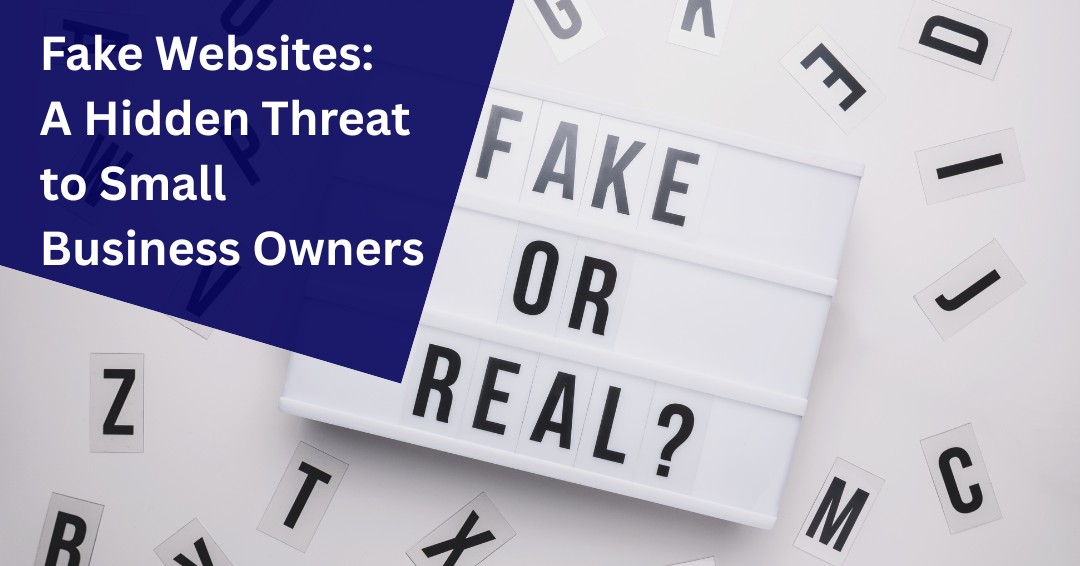
As a small business owner, your time is precious, your resources are limited, and your focus is often split between managing operations, serving customers, and growing your brand. In the midst of all this, cybersecurity might not always be top of mind but it should be. One of the most deceptive and increasingly common threats facing small businesses today is the rise of fake websites.
Unlike traditional phishing scams where attackers reach out to you via email or text, fake websites are traps you walk into unknowingly. These fraudulent sites are designed to mimic legitimate businesses, services, or platforms, tricking you into handing over sensitive information, downloading malware, or even making payments to cyber criminals.
Let’s explore how fake websites are targeting small businesses, the real-world consequences they can cause, and most importantly how you can protect your business from falling victim.
- Misspelled URLs: A Typo Could Cost You Thousands
The Problem
Imagine you’re in a rush to order supplies for your store. You type in what you think is the correct website say, “officedepoot.com” instead of “officedepot.com” and land on a page that looks nearly identical to the real thing. You place an order, enter your credit card details, and wait for a shipment that never arrives. Worse, your payment information is now in the hands of cyber criminals.
This is a classic example of typosquatting, where scammers purchase domain names that are slight misspellings of popular websites. These fake websites are designed to look authentic, often copying logos, layouts, and even customer service chatbots.
Real-World Impact on Small Businesses
- Financial Loss: A small business owner in Milwaukee lost over $3,000 after ordering bulk packaging supplies from a fake site mimicking a well-known vendor.
- Reputation Damage: If your customers are tricked into visiting a fake version of your website, they may associate the scam with your brand.
- Operational Disruption: Time spent dealing with fraud is time not spent running your business.
How to Protect Yourself
- Double-check URLs before clicking or typing them in. Bookmark frequently used sites to avoid typos.
- Look for HTTPS and the padlock icon in the browser bar.
- Use browser extensions or security software that flags suspicious domains.
- Deceptive QR Codes: The New Frontier of Fraud
The Problem
QR codes have become a staple in modern business used for menus, payment portals, event check-ins, and marketing campaigns. But scammers have caught on. They now create malicious QR codes that, when scanned, redirect users to fake websites that steal data or install malware.
This tactic, known as quishing (QR phishing), is especially dangerous because it bypasses traditional email filters and often appears in physical spaces flyers, posters, or even fake invoices.
Real-World Impact on Small Businesses
- Fake Payment Portals: A coffee shop owner in Chicago unknowingly displayed a QR code that had been tampered with. Customers who scanned it were taken to a fake payment site, and the business lost both revenue and trust.
- Malware Infections: A boutique retailer scanned a QR code from a vendor’s flyer at a trade show, only to have their POS system infected with ransomware.
How to Protect Yourself
- Verify the source of any QR code before scanning.
- Use a QR scanner app that previews the URL before opening it.
- Educate your staff about the risks of scanning unknown codes.
- Fake Search Results: When Google Isn’t Your Friend
The Problem
You’re searching for a new software tool, a vendor, or even customer support for a service you use. You click the first link that appears in the search results only to find out later it was a fake website designed to harvest your login credentials or install spyware.
Cyber criminals use search engine manipulation to push their fake websites to the top of search results. These sites often look legitimate, complete with fake reviews, cloned branding, and even live chat support.
Real-World Impact on Small Businesses
- Credential Theft: A small accounting firm in Madison searched for QuickBooks support and ended up on a fake site. The attacker gained access to their client financial records.
- Malware Downloads: A marketing agency downloaded what they thought was a free design tool, only to infect their entire network with spyware.
How to Protect Yourself
- Avoid clicking on ads in search results unless you’re sure of the source.
- Manually type in known URLs or use bookmarks.
- Check for red flags like:
- URLs starting with http:// instead of https://
- Slight misspellings or extra characters in the domain
- No padlock icon in the browser
- Poor grammar or unprofessional design
- Web forms asking for unnecessary personal or financial information
- Why Small Businesses Are Prime Targets
You might think, “Why would hackers target my small business? I’m not a big corporation.” But that’s exactly why you’re a target.
Key Vulnerabilities
- Limited IT resources: Many small businesses don’t have dedicated cybersecurity staff.
- Lack of training: Employees may not be trained to spot fake websites or phishing attempts.
- Valuable data: Even small businesses store customer information, payment details, and proprietary data.
Common Scenarios
- A fake website posing as your bank tricks you into revealing login credentials.
- A fraudulent supplier site takes your payment and never delivers goods.
- A cloned version of your own website is used to scam your customers.
- Proactive Steps to Safeguard Your BusinessStep 1 – Train Your TeamHold regular training sessions to teach employees how to spot fake websites, suspicious links, and phishing attempts. Use real-world examples and simulate scenarios.Step 2 – Invest in Security ToolsUse reputable antivirus software, browser security extensions, and firewalls. Consider endpoint protection tools that monitor for suspicious activity.
Step 3 – Secure Your Own Website
- Use HTTPS and keep your SSL certificate up to date.
- Monitor for clones of your website using tools like Google Alerts or BrandShield.
- Register similar domain names to prevent typosquatting.
Step 4 – Report and Respond
If you or your customers encounter a fake website impersonating your business, report it to:
- Google Safe Browsing
- The Federal Trade Commission (FTC)
- Your domain registrar or hosting provider
Stay One Step Ahead of Fake Websites
Fake websites are more than an inconvenience. They are a growing threat capable of stealing credentials, compromising sensitive information, disrupting operations, and damaging customer trust. Cybercriminals continuously refine their tactics, making fraudulent websites increasingly difficult to distinguish from legitimate ones.
Fortunately, awareness remains one of the most effective defenses. By training employees to recognize warning signs, verifying website addresses carefully, using strong authentication methods, and encouraging a culture of healthy skepticism, businesses can significantly reduce their exposure to these attacks.
Cybersecurity is not about living in fear of every website or online interaction. It is about developing habits and processes that help people make informed decisions before sharing information or clicking unfamiliar links.
In today’s digital environment, caution is not paranoia. It is a practical business strategy that helps protect your organization, your employees, and your customers.
Could Hidden Online Threats Be Putting Your Business at Risk?
Many cyberattacks begin with a single click on a convincing but fraudulent website. If you’re unsure whether your employees, policies, and security controls are prepared to defend against today’s evolving threats, schedule a free consultation with ITNS Consulting. We’ll help you identify potential weaknesses and develop practical strategies to strengthen your cybersecurity posture.
Strengthen Your Cybersecurity Foundation
Cybercriminals often succeed by exploiting basic security weaknesses and human error. Download our Cybersecurity Baseline Checklist to evaluate essential security controls, identify potential gaps, and take practical steps to better protect your business from phishing attacks, fake websites, and other common cyber threats.
🛡️ Cybersecurity Baseline Checklist — Free Download
Understand Your Current Security Posture. Identify Gaps. Strengthen Your Defenses.
This straightforward, business-friendly checklist helps you evaluate your current security posture in minutes and identify weak points before attackers can exploit them.
It also helps you prioritize the most impactful fixes while strengthening compliance, cyber insurance readiness, and operational resilience.
Perfect for:
✔️ Small businesses getting started with cybersecurity
✔️ Leaders evaluating internal or outsourced IT performance
✔️ Teams preparing for growth, compliance, or insurance renewal
✔️ Organizations wanting predictable, repeatable security practices