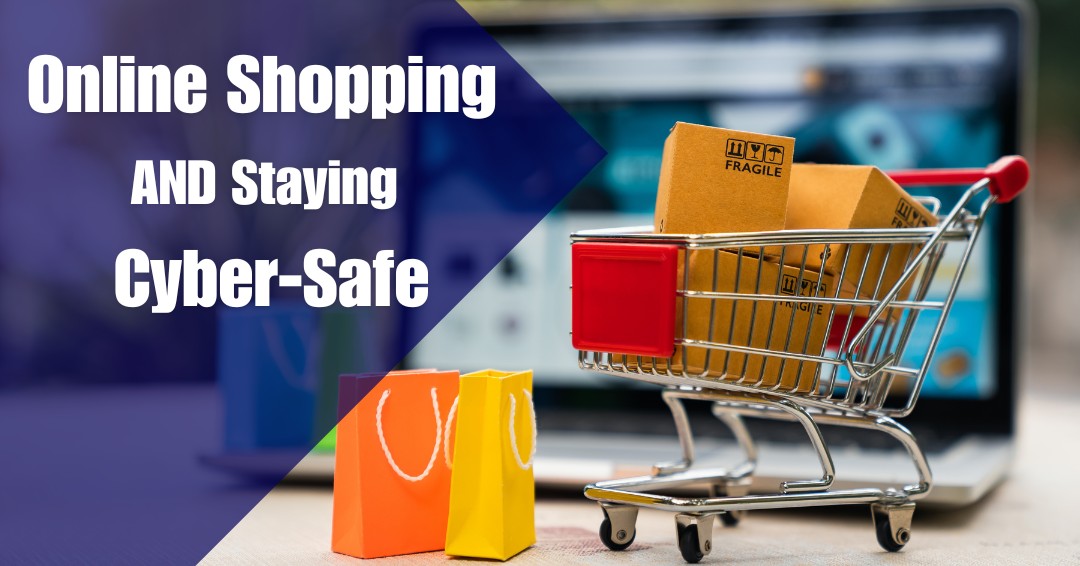


As a business professional, you’re likely well-versed in managing risk. When it comes to online shopping, the same principle applies. With over 2.64 billion people shopping online, cybercriminals are increasingly targeting both individuals and businesses. Cybersecurity threats, ranging from stolen financial data to identity theft, are ever-present, making it essential to understand how to protect yourself when transacting online.
Here’s a detailed guide to ensure that you’re not only enjoying the convenience of online shopping but doing so in a safe and secure way.
Establishing a Secure Shopping Environment
A secure online shopping experience starts with choosing the right platforms. Stick to well-known, reputable websites that prioritize security. To verify that a site is secure, look for SSL (Secure Sockets Layer) encryption. This ensures that any information you enter on the site is encrypted and therefore protected from prying eyes.
How to Identify a Secure Website:
-
- SSL Encryption: Confirm that the website URL begins with “https://”. The “s” stands for secure, meaning your data is encrypted. A padlock icon next to the URL further indicates that SSL encryption is in place.
- Domain Accuracy: Be mindful of subtle changes in the domain name. Fraudulent websites often use similar names to well-known brands, with minor misspellings or different domain endings (e.g., “.net” instead of “.com“). These sites may look legitimate but are designed to steal your information.
Vetting Vendors:
Before making a purchase from an unfamiliar website, take the time to research the seller:
-
- Customer Reviews: Check multiple sources to ensure the vendor has a positive reputation. Reviews from independent platforms can provide valuable insight into the reliability of the seller.
- Vendor Information: Look for transparent contact information, return policies, and physical addresses. Legitimate vendors typically have clear and easily accessible details on their website.
Strengthening Your Account Security
When creating accounts on shopping platforms, securing those accounts is a crucial step in protecting your financial and personal data. Here’s how you can strengthen your security:
Use Strong Passwords
It’s vital to create a strong, unique password for each online account. A weak or reused password makes it easier for cybercriminals to access multiple accounts if one is compromised.
-
- Password Length & Complexity: Use at least 16 characters with a mix of uppercase, lowercase, numbers, and special characters.
- Password Manager: Managing multiple complex passwords can be daunting, which is where a password manager comes in. These tools securely store and generate random, complex passwords for each account. They allow you to retrieve them easily without memorizing multiple passwords.
Enable Multi-Factor Authentication (MFA)
Multi-Factor Authentication adds an extra layer of security to your accounts. In addition to your password, MFA requires another verification method, such as a code sent to your phone or a biometric scan. This drastically reduces the likelihood of unauthorized access, even if someone gets hold of your password.
Safe Shopping on Your Network
When shopping online, it’s crucial to use a secure internet connection. Public Wi-Fi networks, such as those in coffee shops or airports, are typically unsecured, making it easier for hackers to intercept your information.
Secure Network Practices:
-
- Avoid Public Wi-Fi: If you must make a purchase while on the go, use your mobile data rather than public Wi-Fi.
- Virtual Private Network (VPN): A VPN encrypts your internet connection, making it much more difficult for anyone to intercept your data, even when you’re using public Wi-Fi. Using a VPN adds an additional layer of protection when accessing sensitive websites like online banking or e-commerce platforms.
Protecting Your Payment Information
The checkout process is where your financial information is most vulnerable. Ensuring that your payment details are handled securely is key to avoiding fraud.
Use Secure Payment Methods
Whenever possible, opt for payment methods that provide an added layer of protection:
-
- Credit Cards: Credit cards offer better fraud protection than debit cards, as they often include built-in fraud detection services. Many credit cards also allow you to dispute charges if fraudulent activity is detected.
- Payment Services (e.g., PayPal, Apple Pay): These services add an extra barrier between you and the seller, meaning the seller doesn’t receive your actual card details. Payment services often have their own security measures, further protecting your transactions.
Monitor Financial Statements Regularly
It’s not enough to secure your payments at the time of purchase—you should also monitor your financial accounts regularly for any suspicious activity. This allows you to spot and report fraudulent transactions early, minimizing potential damage. Many banks and credit card companies also offer fraud alerts, so be sure to activate these services.
Minimizing the Personal Information You Share
Be wary of how much personal information a vendor requests during checkout. Sharing too much can increase your exposure to identity theft.
Limit Information at Checkout
Only provide the information that is strictly necessary for the purchase, such as your name, billing address, and shipping address. If a seller asks for irrelevant details, like your Social Security number, mother’s maiden name, or date of birth, consider that a red flag. These are often signs that the website may not be secure, or worse, fraudulent.
What to Do If You Fall Victim to a Scam
Even with the best precautions, it’s possible to fall victim to an online scam. Knowing what to do in the aftermath can significantly limit the damage.
Immediate Steps:
-
- Contact Your Bank or Credit Card Provider: Report any fraudulent charges immediately. Most credit card companies have fraud departments that can freeze your account, issue refunds, and investigate the matter.
- Change Your Passwords: If your login credentials were compromised, change your passwords immediately for all affected accounts. Use a strong, unique password and enable MFA if possible.
Keep Your Systems Updated
Outdated software can be an easy target for cybercriminals. Regularly updating your operating system, browser, and antivirus software ensures that you’re protected against known vulnerabilities and zero-day attacks.
Recognizing Phishing and Scams
Phishing attacks—fraudulent attempts to obtain sensitive information by pretending to be a trustworthy entity—are common in online shopping. These often come in the form of emails or ads offering unbelievably good deals.
How to Spot a Scam:
-
- Too-Good-to-Be-True Offers: If a deal seems unrealistically low, it probably is. Cybercriminals often lure victims with discounts that are significantly below market value.
- Unverified Sellers: Be cautious of sellers offering products through third-party platforms like social media, especially if they have little to no verified customer reviews.
Safe Online Habits Protect More Than Your Purchases
Online shopping offers convenience, flexibility, and access to products and services from virtually anywhere. However, the same digital environment that makes online transactions easy also creates opportunities for cybercriminals to target unsuspecting users.
The good news is that many online threats can be avoided through simple, consistent habits. Verifying websites before making purchases, using strong passwords, enabling multi-factor authentication, monitoring financial accounts, and staying alert to phishing attempts can significantly reduce risk.
For business owners, these practices extend beyond personal purchases. The same habits that protect your online shopping accounts can also help safeguard sensitive business information, financial data, and customer trust.
Cybersecurity is not about avoiding technology. It is about using technology confidently and responsibly. By staying informed and practicing good security habits, you can shop, work, and conduct business online with greater confidence.
Are Everyday Online Activities Creating Unnecessary Risk?
Many cyber incidents begin with common online activities such as shopping, email, or web browsing. If you’re unsure whether your business has the safeguards needed to protect employees, financial information, and sensitive data, schedule a free consultation with ITNS Consulting. We’ll help you identify potential risks and develop practical strategies for strengthening your cybersecurity posture.
Build a Stronger Cybersecurity Foundation
Cybercriminals often succeed by exploiting simple mistakes and overlooked security gaps. Download our Cybersecurity Baseline Checklist to evaluate essential security controls, identify opportunities for improvement, and take practical steps to better protect your business from today’s evolving cyber threats.
🛡️ Cybersecurity Baseline Checklist — Free Download
Understand Your Current Security Posture. Identify Gaps. Strengthen Your Defenses.
This straightforward, business-friendly checklist helps you evaluate your current security posture in minutes and identify weak points before attackers can exploit them.
It also helps you prioritize the most impactful fixes while strengthening compliance, cyber insurance readiness, and operational resilience.
Perfect for:
✔️ Small businesses getting started with cybersecurity
✔️ Leaders evaluating internal or outsourced IT performance
✔️ Teams preparing for growth, compliance, or insurance renewal
✔️ Organizations wanting predictable, repeatable security practices