

As a small business owner, you rely on your smartphone to keep your operations running smoothly. Whether you’re managing client communications, handling financial transactions, or accessing sensitive business data, your phone is an essential tool.
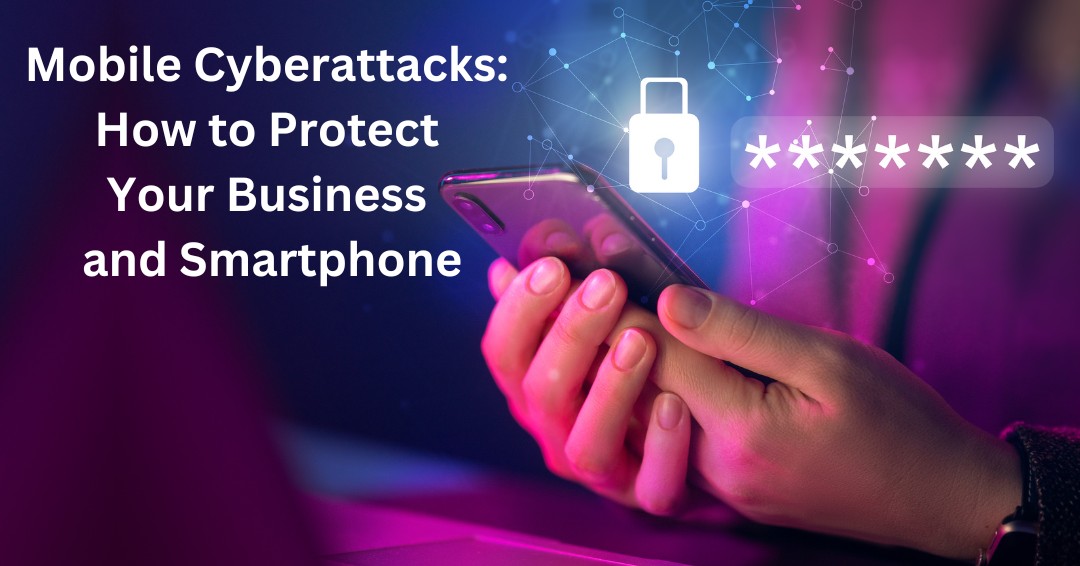
However, the rise of mobile cyberattacks poses a serious risk to your business. In fact, mobile cyberattacks have increased significantly in recent years, with a 147% rise in attacks globally from December 2022 to December 2023. It’s crucial to understand the threats and take steps to protect both your personal and business data.
What Are Mobile Cyberattacks and How Do They Affect Your Smartphone?
Mobile cyberattacks target smartphones with the intent of stealing data, compromising sensitive business information, and gaining unauthorized access to your accounts. As a small business owner, your smartphone is a prime target for cybercriminals because it often stores personal details and business-related data in one convenient location. Here are some common ways mobile cyberattacks may affect your device:
- Malware and Phishing:
Malware, such as viruses, spyware, and trojans, can be downloaded through unsafe apps, malicious websites, or infected email attachments. Once installed, these malicious programs can steal data, track your activities, or even take control of your phone. Phishing attacks also pose a significant threat, especially with “smishing” (SMS-based phishing). Hackers can spoof trusted phone numbers, tricking you into revealing sensitive information or clicking on malicious links. - Public Wi-Fi Vulnerabilities:
As a busy business owner, you’re often on the go, and using public Wi-Fi may seem like a convenient option. However, public Wi-Fi networks are a hotspot for mobile cyberattacks. Hackers can exploit vulnerabilities in these networks to conduct “Man-in-the-Middle” attacks, intercepting data exchanged between you and other users. This can expose sensitive business data or compromise client communications. - SIM Swapping:
SIM swapping is a particularly dangerous form of mobile cyberattack. In this scam, cybercriminals use social engineering techniques to trick your mobile carrier into transferring your phone number to a new SIM card. Once they control your phone number, they can access two-factor authentication codes, reset passwords, and take over your accounts.
Signs Your Smartphone Has Fallen Victim to Mobile Cyberattacks
Mobile cyberattacks can often go unnoticed, making it essential for business owners to be vigilant about the health of their smartphones. Watch for these common signs that your phone may have been compromised:
- Battery Draining Quickly:
If your phone’s battery drains faster than usual, it could be because malware is running in the background, consuming resources. - Device Slowing Down:
Unexplained slowdowns, crashes, or erratic behavior may indicate that your phone is infected with malicious software. - Unwanted Ads:
Frequent pop-up ads or intrusive ads could be a sign of adware or other malicious programs running on your phone. - Unusual Data Usage:
Increased data usage without any significant change in your behavior could be due to malware sending or receiving data in the background. - Unknown Apps:
If you notice unfamiliar apps or programs on your phone, especially ones you didn’t install, they could be linked to a cyberattack. - Strange Account Activity:
If you notice emails you didn’t send or messages you didn’t write, your accounts may have been compromised.
What to Do if You Suspect a Mobile Cyberattack
If you suspect that your smartphone has been compromised by a mobile cyberattack, it’s crucial to take immediate action to limit the damage and secure your data:
- Disconnect from the Internet:
Turn off Wi-Fi and mobile data to prevent the hacker from accessing your device remotely. - Run a Security Scan:
Use a trusted antivirus or security app to scan for and remove any malicious software. - Change Your Passwords:
Update all passwords linked to your phone, including email, banking, and social media accounts. Use strong, unique passwords for each account. - Remove Suspicious Apps:
Delete any apps you didn’t install or don’t recognize, as they may be linked to a cyberattack. - Check for Unfamiliar Accounts:
Look for any accounts, profiles, or unauthorized activity that you didn’t create. - Update Your Software:
Ensure your operating system and apps are up to date with the latest security patches. - Enable Multi-Factor Authentication (MFA):
Activate MFA to add an extra layer of security to your accounts, making it harder for hackers to gain unauthorized access. - Monitor Your Accounts:
Regularly check your accounts for any unusual activity, such as unauthorized transactions or changes to login details. - Contact Your Mobile Carrier:
Reach out to your carrier to report any suspicious activity, especially if you suspect a SIM swap. - Factory Reset Your Phone:
If all else fails, performing a factory reset will remove all data from your device and restore it to its original settings. Be sure to back up important information before resetting your phone.
Mobile Security Is Business Security
Smartphones have become essential business tools, giving employees and business owners instant access to email, files, applications, and customer information. However, that convenience also creates opportunities for cybercriminals to target devices that often contain sensitive business data.
The good news is that many mobile cyberattacks can be prevented through practical security measures. Regular software updates, strong passwords, multi-factor authentication, secure Wi-Fi usage, employee awareness, and clear device management practices can significantly reduce risk.
Cybersecurity is no longer limited to office computers and servers. Every smartphone that connects to business systems becomes part of your organization’s security perimeter.
By taking a proactive approach to mobile security, businesses can protect sensitive information, maintain customer trust, and reduce the likelihood that a compromised device becomes a larger security incident.
Could Mobile Devices Be Creating Hidden Security Risks?
Many businesses focus on securing networks and computers while overlooking the smartphones used to access company email, files, and applications every day. If you’re unsure whether your mobile security practices adequately protect your business data, schedule a free consultation with ITNS Consulting. We’ll help you identify potential vulnerabilities and develop practical strategies to strengthen your mobile security posture.
Do Your Technology Policies Address Mobile Device Security?
Mobile devices can improve productivity, but they also introduce security risks that need to be managed properly. Download our IT Policy Review Checklist to evaluate your organization’s policies, identify potential gaps, and ensure employees have clear guidance for protecting business information on mobile devices.
📝 IT Policy Review Checklist — Free Download
Ensure Your Policies Are Current, Aligned, and Fully Implemented
This checklist provides a clear framework for reviewing your IT policies, verifying their accuracy and real-world relevance, and ensuring proper coverage across security, data, operations, and vendor management.
It also helps define ownership, track evidence and audit readiness, establish a consistent review schedule, and complete a final readiness check.
Perfect for:
✔️ Small business owners and leadership teams without formal IT policies
✔️ Organizations preparing for audits, cyber insurance renewals, or client due diligence
✔️ Companies with outdated policies that may no longer reflect actual operations
✔️ Compliance, risk, operations, or IT leaders responsible for policy oversight
✔️ Businesses that need clearer policy ownership, review schedules, and supporting evidence.