LMost businesses can find a way to deal with whatever life throws at them as long as they can continue to do business. What happens when something impacts that ability? When a business cannot continue to operate and perform normal business functions, the company’s reputation is greatly impacted. Therefore, every company’s survival greatly depends on how quickly they can return to normal operations. In this blog we will explore factors that should be taking into account when answering the question: “What is the cost of downtime?”
What Is The Cost Of Downtime And How Do We Guard Against It?
Downtime is the amount of time a business is unable to perform normal business operations. It’s inevitable. All businesses have some form of downtime, computers and other office machines require maintenance to keep them running efficiently and securely. Planned maintenance falls into the category of downtime, but since this can be scheduled during off-hours or slow-times to mitigate business impact, it’s disregarded for the remainder of this discussion.
Unplanned downtime, without a plan to resolve it quickly or minimize its impact, is a real threat. Common causes for unplanned downtime include:
1. Network failure
2. Power outages
3. Malware
4. Personnel availability
5. Equipment failure
6. Natural disasters
Each of the items listed above will have a different impact on the business operations and a variable level of severity depending on how much of the organization is affected.
As an example, if one computer is infected with malware and it’s identified promptly, the impact could be minimal. But if malware is allowed to go unchecked, it is possible for the malware to propagate to other devices throughout the network. Once malware infects multiple computers or other devices on the network, the costs begin to rise quickly. Much of this is due to decreased performance capability of the employees, and the mitigation steps necessary to remove the malware and return to normal operations.
Because of this, some businesses opt to have a standby system available to minimize the cost of downtime in such cases. The standby system allows the employee to continue working on the standby system while a technician removes the malware from their primary machine. But in the case of an entire network affected with malware, this option is moot. System imaging would be the best course of action in this regard.
Businesses usually attempt to minimize the issue of unavailable personnel by cross-training more than one person in various work roles and procedures that need to be performed. This allows Bob to fill in for Suzy while she is out sick or on vacation. The challenge is to ensure all key roles and procedures are cross-trained and documented in detail. This is a necessary safeguard so the business will continue to operate properly.
What Does It Cost For A Business To Be “Down”?
For this example, let’s use the following company information:
$1,000,000 – Revenue for the last year
50 Weeks worked last year (2 weeks reserved for recognized holidays)
5 Days worked per week
8 Hours worked each day
60 Minutes in an hour
So, for the company to stay on track and have the same revenue as last year, the business must continue to produce the following:
$20,000.00 per Week
$4,000.00 per Day
$500.00 per Hour
$8.33 per Minute
Note: These figures are a broad estimation as each business operation is unique as to the actual rate of how the income flows into the business.
How Long Could The Business Be Down?
All figures below are approximations of the estimated costs of Downtime…
Third party services outage (power/internet) – Length of outage plus additional time to bring equipment back online
Length of outage + 30 minutes = Length of outage + $249.90
Malware – Degraded/slow system performance and time to remove malware
4 hours = $2000.00 (Could be less if some users are unaffected)
Ransomware – Time to remove and recover affected files if not totally encrypted.
8 hours – 1 week = $4000.00 – $20,000
Hardware failure / replacement – Depending on availability of parts and time to replace
2 days – 2 weeks = $8000.00 – $40,0000 (Could be less if some users are unaffected)
Illness – Personnel out due to illness (Most likely less since not all users will be affected at same time)
1 day – 1 week = $4000.00 – $20,000
Personnel Long Term Disability – Personnel out due to accident or illness (most likely less since not all users will be affected at same time)
1 week – x months = $4000.00 to $???
Loss of Key personnel – Minimal training time is one month. This does not account for time to find and hire a qualified candidate, and assumes all processes are documented in explicit detail.
Data Breach Notification – These costs are highly variable based on number of records contained in the breach, the amount of fines, and other intangible costs such as reputational damage which can be hard to quantify until a breach happens. Some of these costs can be minimized through, company policies, processes, procedures, and insurance.
Note: The average cost of credit monitoring required per record lost is $350.00 per record. Regulatory fines can cost well beyond $250,000. Costs to correct vulnerabilities and compromised systems are variable based on the amount of work to be done. Company reputation will take a significant hit after a breach. In fact, many smaller companies end up being forced to close their doors due to financial hardship and reputational damage.
Downtime Costs More Than Lost Productivity
When systems become unavailable, the impact often extends far beyond the immediate interruption. Lost revenue, reduced employee productivity, delayed customer service, reputational damage, missed opportunities, and recovery expenses can quickly turn a short outage into a significant business problem.
The most resilient organizations recognize that preventing downtime is only part of the equation. They also invest in reliable backups, documented recovery procedures, business continuity planning, and regular testing to ensure they can restore critical operations quickly when disruptions occur.
Whether downtime is caused by a cyberattack, hardware failure, human error, power outage, or natural disaster, preparation plays a significant role in determining how quickly the business can recover.
The organizations that recover fastest are often the ones that planned for disruption before it happened.
Could Your Business Afford an Extended Outage?
Many organizations underestimate both the likelihood and cost of downtime until a disruption impacts operations. If you’re unsure whether your current backup strategy, recovery processes, and business continuity plans are sufficient, schedule a free consultation with ITNS Consulting.
We’ll help evaluate your current environment, identify recovery gaps, and develop a practical roadmap for improving resilience, reducing downtime risk, and strengthening business continuity.
Could Your Business Recover from a Major Disruption?
Business continuity depends on more than preventing incidents. It depends on your ability to recover quickly and continue serving customers when unexpected events occur.
Download our Backup & Disaster Recovery Preparedness Checklist to evaluate your backup and recovery capabilities, identify potential gaps, and strengthen your organization’s ability to recover from cyber incidents, hardware failures, data loss, and other business disruptions.
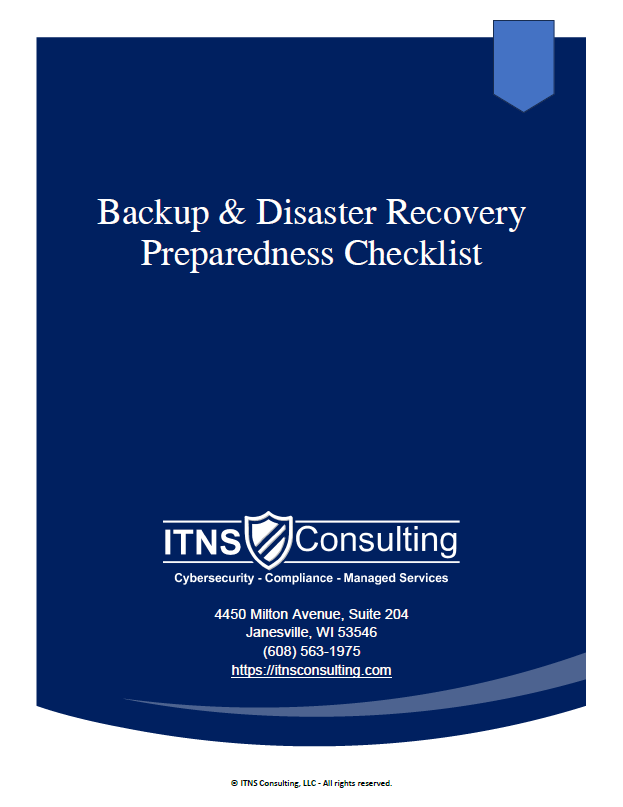
💾 Backup & Disaster Recovery Preparedness Checklist — Free Download
Be Ready for the Inevitable: Outages, Mistakes, Cyberattacks & Hardware Failures
This checklist helps leaders verify the reliability of their backup & recovery posture by highlighting the items that matter most: integrity, separation, testing, documentation, and clear expectations.
Perfect for:
✔️ Small and midsize businesses
✔️ Organizations preparing for cyber‑insurance renewal
✔️ Teams evaluating current IT providers
✔️ Companies with compliance or uptime requirements
✔️ Businesses that cannot afford downtime or data loss